
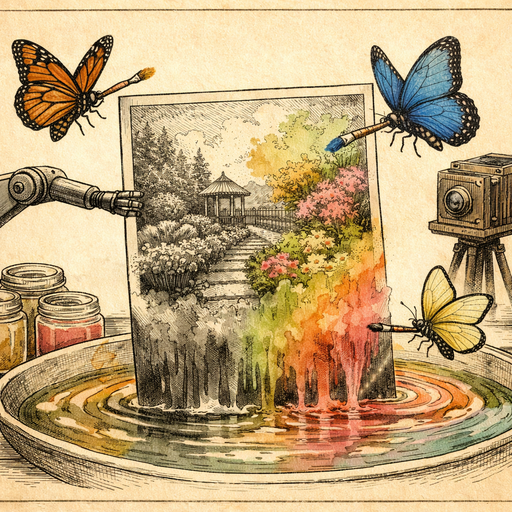
My friend Carla found a shoebox in her late uncle's attic last spring. Inside: forty-seven black-and-white photographs, three V-mail letters, and a Purple Heart she didn't know existed. The photos showed a young man she barely recognized as her grandfather - grinning next to a jeep in France, arm around two other soldiers whose names nobody alive could remember. Carla is in her thirties. Her grandfather died before she was born. For her, these photos were the only conversation she'd ever get to have with him. And in gray and white, he looked like a stranger.
Why Black and White Feels Like Distance
There's a fascinating psychological phenomenon at work when we look at historical photos. Researchers at universities including York have shown that colorized images trigger significantly stronger emotional responses than their monochrome originals - viewers rate the subjects as more "real," more relatable, and more connected to the present day. Grayscale, it turns out, doesn't just strip color from an image. It strips familiarity. The brain files it under "history" and "other" instead of "person" and "family."
This isn't nostalgia talking. It's neuroscience with a very compelling argument for finally doing something about that shoebox in your own attic.
What AI Colorization Actually Does (And How Well It Works)
The skeptic in the room is already raising a hand. "But how does a computer know what color his jacket was? It's guessing, right?" Yes - and no. Modern AI colorization models are trained on tens of millions of images, learning the statistical relationships between textures, lighting, context, and color. A military uniform in a 1944 European theater photo? The model has seen thousands of those. Olive drab is not a guess - it's a highly informed inference with about as much certainty as a very experienced military historian flipping through the same image.
For most historical photos, the model gets the big things right: skin tones, foliage, sky gradients, uniforms, wooden surfaces, stone walls. Where it occasionally improvises is on specific personal items - a scarf that might have been burgundy or navy, a vehicle that could be any of three colors. But that surprises most people: even when the exact hue isn't perfectly accurate, the emotional effect is almost always transformative.
Carla's grandfather went from a gray silhouette to a freckled, red-cheeked young man with sandy hair and a worn khaki jacket. The jeep behind him turned olive green. The French countryside beyond the frame became recognizably French countryside rather than a fog of silver tones. Her exact words: "I cried for twenty minutes and then called my mom."
How to Get the Best Results from AI Colorization
Before you upload anything to COMBb2's colorization tool, a few minutes of preparation will dramatically improve your results. The processing happens entirely in your browser, which means your family's private photos never touch a remote server - a meaningful detail when you're dealing with irreplaceable documents.
Step 1: Scan at High Resolution
If your original is a physical print, scan it at a minimum of 600 DPI, ideally 1200 DPI for wallet-sized prints. More pixel data gives the AI more to work with. A photo scanned at 150 DPI will produce a muddy colorized result because the model is essentially trying to paint detail that was never captured.
Step 2: Clean Up the Scan First
Old photos often come with foxing (those brown age spots), creases, and dust artifacts. Running your scan through the enhance tool first - or manually adjusting contrast with the adjust tool - helps the AI read the underlying image correctly instead of being confused by damage artifacts. A crease across someone's face can cause the colorizer to apply two different skin tones to the same person, which produces a result that looks like a Picasso tribute.
Step 3: Colorize One Photo at a Time
Resist the urge to process every photo immediately. Start with the clearest, most well-lit image in your collection. Compare the result against any historical references you can find - unit photographs from archives, color film footage from the era, contemporaneous color photography. This gives you a calibration benchmark for the rest of the set.
Step 4: Check Skin Tones Carefully
This is where AI colorization has historically struggled, particularly with people of darker complexions where the contrast range in a black-and-white photo can cause the model to misread tonal information. Zoom in after processing and see whether the result looks natural. If skin tones look off, adjusting the original image's brightness and contrast slightly before re-running often resolves the issue.
Step 5: Save Both Versions
Always keep the original scan alongside the colorized version. This isn't just good practice - it's respectful of the document's historical integrity. The colorized version is an interpretation, and a glorious one. The original is the artifact.
What to Do After You Colorize
Colorization is rarely the end of the project - it's usually the beginning of a much larger rabbit hole. Common next steps include:
- Print large. A newly colorized photo that's been upscaled to 300 DPI print resolution makes an extraordinary gift, particularly for elderly relatives who may be seeing their parents or grandparents in color for the first time.
- Add context. Document what you know about each photo - date, location, the names of anyone identified - and store that with the image file. Future generations will thank you with genuine gratitude rather than the polite kind.
- Share with veterans' organizations and archives. The National Archives, regional historical societies, and university special collections often welcome digitized and colorized military photos, particularly when accompanied by documentation. Your grandfather's jeep photo might be exactly what a researcher is looking for.
- Cross-reference with ancestry sites. A colorized face is significantly easier to match against other family photos across generations. More than one family has discovered unexpected resemblances between great-grandparents and current toddlers once color entered the picture.
The Ethical Question Nobody Asks Enough
Here's a wrinkle worth considering: colorization is interpretation, and interpretation carries responsibility. When you colorize a historical photo and share it without context, viewers may mistake the result for a contemporary color photograph. Several viral moments in recent years involved colorized historical images that circulated without attribution, creating genuine confusion about their origin.
The responsible move is simple: label colorized images as such. "Colorized from original black-and-white photograph, 1944" is nine words that preserve both the magic and the honesty. The technology is impressive enough on its own merits - it doesn't need to masquerade as something it isn't.
Conclusion
Carla printed her grandfather's colorized photo at 8x10 and framed it for her mother's birthday. Her mother, who had grown up with the black-and-white version as the only image of her own father, reportedly stared at it without speaking for a full minute before saying, very quietly, "I didn't know his hair was that color." That's the whole argument for colorization, right there - not in pixels or algorithms, but in one sentence from a daughter who finally got to see her father. If you've got a shoebox somewhere with a similar story waiting inside, the colorization tool is ready whenever you are. Your browser does all the work. The photos never leave your hands.
Try it yourself
Free, private, runs in your browser. No sign-up required.