
Picture this: it's 2 AM, you're lying on your back in a damp field, you've been out there for three hours, a moth has definitely flown into your ear at some point, and you have finally - finally - captured what you believe to be a breathtaking shot of the Milky Way arching over your neighbor's suspiciously large tool shed. You race inside, load the photo onto your laptop, and discover that your galaxy looks less like a celestial wonder and more like someone sneezed on a sheet of dark construction paper. Congratulations. You have officially met your old nemesis: digital noise.
Why Night Sky Photos Are Basically Noise Factories
Astrophotography is uniquely brutal to camera sensors, and understanding why helps explain why even expensive gear produces grain-heavy results in low light.
When you photograph stars, you're essentially begging your camera to record light from objects that are several trillion miles away. To do that, you push your ISO to somewhere between "slightly ridiculous" and "astronomically unhinged" - think ISO 3200, 6400, or higher. The sensor heats up. Long exposures let electronic interference accumulate. The result is a phenomenon that engineers politely call luminance and chrominance noise, and that everyone else calls "why does my photo look like a gravel driveway at midnight?"
It gets worse. The classic beginner mistake is shooting in JPEG instead of RAW to save storage space. JPEG compression has the subtlety of a toddler with a crayon: it smears noise patterns in ways that make traditional denoising even trickier, because the artifacts and the actual stars start to blur into a single confusing mess.
The Three Types of Noise Ruining Your Night Shots
Not all noise is created equal, and knowing what you're dealing with helps you treat it properly.
- Luminance noise - The grainy, film-like texture that makes your sky look like sandpaper. This is usually the least offensive type and can actually look intentional in small doses, which is what every astrophotographer tells themselves at 3 AM when they're too tired to care.
- Chrominance noise - Random colored pixels, usually red, green, and magenta speckles scattered across what should be a uniform dark sky. There is no photographic style where magenta confetti looks like intentional artistic choice.
- Hot pixels - Single bright dots that appear in long exposures because individual sensor pixels overheat. Your photo now contains what appears to be a star that is inexplicably 40 pixels wide and a color that doesn't exist in nature.
The traditional solution involved stacking multiple exposures using specialized software with a learning curve steeper than your driveway in winter. Useful if you have time. Not useful when you took exactly one shot before your battery died.
Where Most Denoising Tools Go Catastrophically Wrong
Here's the cruel irony of astrophotography editing: the very stars you stayed up until 2 AM to photograph look almost identical to noise. Both are tiny bright dots scattered across a dark background. Aggressive noise reduction algorithms will happily obliterate your actual stars along with the grain, leaving you with a smooth, clean, completely empty sky that looks like you photographed a parking lot at night with the lens cap partially on.
Traditional slider-based noise reduction forces you into an impossible tradeoff. Reduce noise enough to matter, and you lose star detail. Preserve the stars, and you barely touch the noise. It's essentially editing at gunpoint.
This is exactly the problem that AI-powered denoising was built to solve. Unlike blunt luminance sliders, a neural network trained on thousands of images has actually learned what stars look like versus what noise looks like. It can distinguish between a real point of light and a random hot pixel - a distinction that no amount of slider-tweaking can replicate.
How to Actually Fix Your Night Sky Photos
The workflow is simpler than most people expect. You don't need a $400 plugin subscription or a dedicated astrophotography application. Here's a practical approach:
- Start with your best single exposure. Pick the frame with the sharpest stars and least camera shake. If you bracketed exposures, take the longest one that didn't introduce trailing from Earth's rotation.
- Run it through AI denoising first. The AI Denoise tool processes everything locally in your browser - your night sky stays on your device, which matters if you accidentally captured your neighbor's unreasonably large tool shed in the frame. The neural network targets noise patterns while actively preserving point-source detail like stars.
- Sharpen after denoising, not before. Running Sharpen after noise reduction gives you cleaner enhancement without amplifying grain artifacts. Sharpening first and denoising second is the photographic equivalent of vacuuming before you knock the dirt off the windowsills.
- Adjust brightness and contrast last. Once grain is handled, use manual adjustment controls to bring out the structure in the Milky Way core without blowing out the brightest stars.
The Specific Settings Problem (And Why AI Sidesteps It)
With traditional denoising, every photo requires its own custom settings. A photo shot at ISO 6400 needs different treatment than one at ISO 1600. A humid summer night creates different chrominance artifacts than a cold winter session. You essentially need to re-learn the tool for every shoot.
AI denoisers analyze the actual content of each image before doing anything. The model looks at your specific noise pattern, your specific star distribution, your specific dynamic range, and makes targeted decisions accordingly. It's the difference between a doctor prescribing medication based on your actual test results versus handing everyone in the waiting room the same pamphlet.
This matters especially for astrophotography beginners who don't yet have the experience to manually diagnose why a particular shot looks bad. You don't need to know whether you're fighting luminance noise, chrominance noise, or hot pixels. The AI figures that out and handles each type appropriately.
One More Benefit Nobody Mentions
Good denoising doesn't just clean up stars. It also reveals structure in the Milky Way that was previously hidden inside the noise floor. Dust lanes, nebulosity, subtle gradients in the galactic core - all of this gets buried when grain and actual detail occupy the same visual frequency. Remove the noise intelligently, and your photo often reveals detail that you didn't even know you captured.
Which means that slightly disappointing photo from last summer might actually be worth revisiting. The galaxy was always there. It was just hiding behind the static.
Conclusion
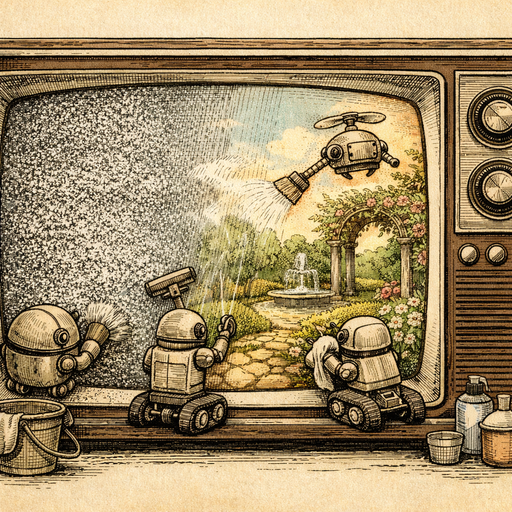
Night sky photography is one of those pursuits where the gap between "what you saw with your eyes" and "what your camera recorded" feels genuinely insulting. The Milky Way was magnificent. The photo looks like a television set losing its signal in 1987. The difference is almost entirely noise - and the solution is smarter than just cranking a slider until things look worse in a different way. AI denoising understands the difference between your stars and your grain, processes everything privately without sending your photos anywhere, and takes about thirty seconds to do what used to require either specialized software or resigned acceptance. Your galaxy photos deserve better than static. So, probably, does your neighbor's tool shed.
Try it yourself
Free, private, runs in your browser. No sign-up required.