
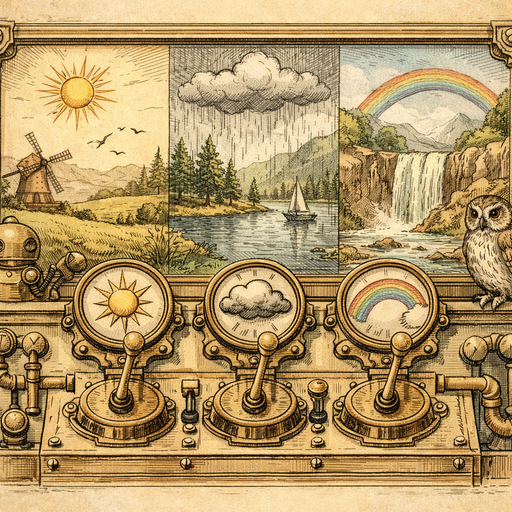
Picture this: It’s Saturday afternoon, the sun is shining, and you’ve decided to take some pristine photos of your home. You’re dreaming of Instagram fame as you set up, adjusting cushions and moving plants like you’re on a reality TV show. The lighting is ideal, you’ve finally managed to capture the perfect angle, but when you look at the photos, you realize you've somehow turned into a cave-dweller. Seriously, is your living room in a dungeon?
How does one room bathe in sunlight and still look like it was shot through a potato? It’s a mystery that has puzzled many a homeowner. But fear not! You don’t need to hire a professional photographer or buy a fancy lighting kit that costs more than your couch. Instead, you can take control of your image and simply adjust a few settings on your photos.
This is where the Adjust Tool comes to the rescue-your trusty sidekick in the war against murky photos. With just a few clicks, you’ll turn those cave-like caverns into well-lit runways. Let’s break down how you can use this simple but powerful tool to adjust brightness, contrast, saturation, hue, and temperature-all from the comfort of your browser.
Don’t Settle for Dim
The most common culprit behind gloomy photos is low brightness. If your house is a sun-catching marvel but your images tell a different story, it’s time to crank up that brightness. Just think of it as giving your photo a little Vitamin D boost. Adjusting the brightness can uncover the hidden charms of your living room, like that lovely art piece you bought at IKEA but have never truly appreciated until now.
Contrast: The Salty Sidekick
Next up, contrast. Think of contrast as the salt in your photo salad. A pinch can sometimes make all the difference. Having too little contrast can make images look flat and dull, while too much can be overwhelming-like an over-salted dish. You want your colors to pop without looking cartoonish. Adjust the contrast to enhance details; make those cushions look extra plush, and suddenly, your couch isn’t just a couch-it’s a cloud!
Saturation: Colors Gone Wild
Saturation is where things get spicy. It lets you tone down that overly vibrant vase of flowers or pump some life into the beige walls that just scream “I have no personality.” Just like a well-done latte art, balance is key. A subtle bump in saturation can awaken the colors without making your living room look like a botched paint job. Adjusting this setting gives you the power to curate your space’s vibe-even before your guests walk in!
Hue and Temperature: It’s All in the Details
Ah, hue and temperature-sounds fancy, doesn’t it? But what these really do is help you set the mood. Have yellow walls that take on an even yellower hue when clicked? Adjust that hue slider to cool it down a bit, morphing your living room from a sunbeam to a cozy haven. And if you keep feeling like you're living in a sauna, tweaking the temperature setting balances that out. Say goodbye to the overly warm tones that make you question if you should charge visitors an entry fee for how hot it is in there.
Put It All Together
Think of adjusting these settings like dressing your room up for a night out. You wouldn't wear just one color; it’s all about creating outfits that bounce off each other beautifully, right? The same principle applies to photo editing with the Adjust Tool. The manual controls give you power-you can tweak each element to make your living space look like its online persona. And the cherry on top? All your editing is done right in the browser-and your photos never leave your device. That’s like editing your room without inviting the world into your chaotic living room.
Which brings us to the best news: you can do all this from the comfort of your couch, coffee in hand, without having to endure a photo shoot that masquerades as a workout. Grab your best photos (don’t worry, we know you took a few) and let the Adjust Tool bring out their hidden potential.
Try it yourself
Free, private, runs in your browser. No sign-up required.