
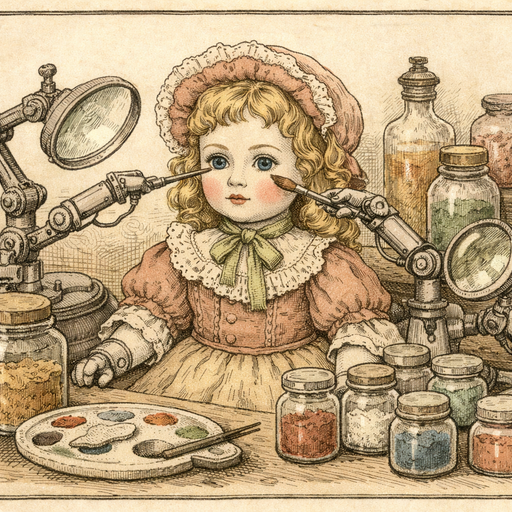
My colleague Priya spent three weeks religiously applying a vitamin C serum, photographing her face every morning under the exact same bathroom light, at the exact same angle, like a scientist running a controlled experiment. She documented her pores. She documented her hyperpigmentation. She was going to write the definitive skincare review. Then she uploaded her photos to compare them side by side and made a horrifying discovery: the "after" photo - taken on a slightly sunnier morning with her window blind cracked open - looked objectively worse than her starting point. The serum might have worked. The lighting absolutely did not.
The Before/After Industrial Complex Has a Dirty Secret
Skincare is a $200 billion global industry, and a staggering portion of it runs on before/after photography. Dermatologists post them. Beauty bloggers live by them. Reddit skincare communities have entire threads dedicated to dissecting them. And yet almost nobody talks about the uncomfortable truth lurking behind every split-screen comparison: lighting, camera distance, and expression changes account for probably 60% of the perceived difference in most before/after photos.
This is not a conspiracy. It's just physics. Harsh overhead light at 7am creates more shadow in pores and texture than diffused afternoon light. A camera held two inches closer picks up every imperfection your bathroom mirror mercifully blurs. A slightly different angle turns a barely-noticeable blemish into the moon's surface. The result is that honest people posting honest reviews end up looking either miraculous or fraudulent, depending entirely on which direction their lighting happened to shift.
And here's the genuinely frustrating part: if you've actually been through a skincare journey worth documenting - recovered from acne, treated rosacea, survived a dermatologist-prescribed purge that made things dramatically worse before better - you deserve to share that story without your photos actively working against you.
What "Retouching" Actually Means (And What It Doesn't)
The word "retouching" makes half the skincare community immediately suspicious, and fairly so. There's a meaningful difference between smoothing away every pore until someone's face looks like a CGI character in a pharmaceutical ad (bad, misleading, deeply weird) and correcting for the fact that your "before" photo was taken with a flash that made you look like you'd been photographed at a crime scene (reasonable, sane, necessary).
The AI Portrait Retouching tool lands firmly in the second category. It handles blemish removal and skin smoothing with a surprisingly light touch - the kind that makes a photo look like a good photo of you, rather than a photo of someone who definitely does not have the same nose you have. The AI works in your browser, which means your photos never travel to a server somewhere to be processed, stored, or used for anything. For skincare documentation that might include close-up facial photography spanning weeks or months, that privacy detail actually matters quite a bit.
A Practical Approach to Honest Before/After Photography
The goal isn't to fake results. The goal is to make both photos equally fair representations of your skin, so the actual variable being compared is your skin - not your lighting, your camera distance, or the fact that you'd just cried watching a documentary about penguins before taking your "before" shot.
Step 1: Fix the Lighting Discrepancy First
Before you even think about retouching, run both photos through the manual adjustment tool to normalize brightness and contrast. If your before photo was taken in harsh light and your after was taken in softer light, bringing them to similar exposure levels is the most honest thing you can do for your comparison.
Step 2: Apply Retouching Consistently to Both Photos
This is the bit most people miss. If you retouch your "after" photo but not your "before," you've just invented your own results. Apply the same level of blemish removal and skin smoothing to both images. The retouching tool keeps the adjustment subtle enough that you can match it across photos without one looking processed and the other looking raw.
Step 3: Know What to Leave In
If you're documenting a skincare journey, the texture is the story. A tool that removes every trace of skin texture isn't helping you - it's creating a before/after comparison that's as meaningful as comparing two paintings. The sweet spot is removing the stuff that's genuinely photographic noise (a stress breakout that appeared the morning of your "after" shoot and has nothing to do with the product you're reviewing) while keeping the underlying texture information intact.
Step 4: Disclose What You Did
This one is free advice from common sense rather than any tool. If you've retouched both images for lighting consistency, say so. The skincare community, which has developed the forensic skepticism of a small-town detective, will respect you for it. The words "both photos lightly retouched for lighting consistency" in a caption takes three seconds to type and saves you from a comment section that looks like an intervention.
Beyond Skincare Reviews: Who Else Needs This
Priya's problem isn't unique to the beauty world. Fitness bloggers face the exact same issue with progress photos - different lighting between a January gym selfie and a June outdoor photo can make a genuine transformation look fabricated, or alternatively, make real progress invisible. Dermatology clinics photograph patients for medical records and need consistent, accurate documentation. Portrait photographers retouching client photos for galleries need to smooth minor blemishes without stripping the personality from a face.
The common thread is that portrait retouching, done well, is about accuracy - making a photo represent what was actually there, rather than what the lighting decided to dramatize on a particular Tuesday morning. A camera is an imperfect witness. Retouching, used responsibly, is how you cross-examine it.
- Beauty bloggers - normalize lighting differences across long-term review series
- Dermatology patients - create accurate before/after documentation for treatment tracking
- Fitness content creators - make progress photos comparable across different shooting conditions
- Portrait photographers - deliver polished client photos without the uncanny valley effect
- Anyone with a job interview headshot taken during allergy season - you know who you are
Conclusion
Priya eventually reprocessed her three weeks of photos with consistent retouching applied to every single image in the series. The result was a review that actually showed what the serum did - which, for the record, was genuinely impressive on her hyperpigmentation - rather than a saga of lighting inconsistency. The AI portrait retouching tool handled the heavy lifting in the browser, her photos stayed on her laptop, and her review became one of the more-cited posts in her corner of the skincare community. The lesson, as with most things involving skin, is that consistency is the whole point. Pick a routine. Stick to it. Apply it to both the before and the after.
Try it yourself
Free, private, runs in your browser. No sign-up required.