
It started with a betta fish named Gerald. Gerald was, objectively, the most photogenic creature in any room he occupied - iridescent fins like spilled gasoline on water, a shade of blue that made professional paint swatches look embarrassed. His owner, a hobbyist photographer with a decent mirrorless camera, spent three weeks trying to capture this magnificence. The results looked like Gerald was living inside a snow globe that had been filled with murky river water and mild despair. This is the universal tragedy of aquarium photography, and it deserves far more attention than it gets.
The Aquarium Photography Conspiracy
Here is what nobody tells you before you decide to photograph a fish tank: everything about the environment is specifically engineered to ruin your photos. The glass adds a layer of diffusion. The water scatters light in unpredictable directions. The fish have collectively decided that holding still is a philosophical concept they don't subscribe to. And the lighting - those compact fluorescent bulbs designed to make aquatic plants grow - produces a color temperature that makes your camera's brain short-circuit.
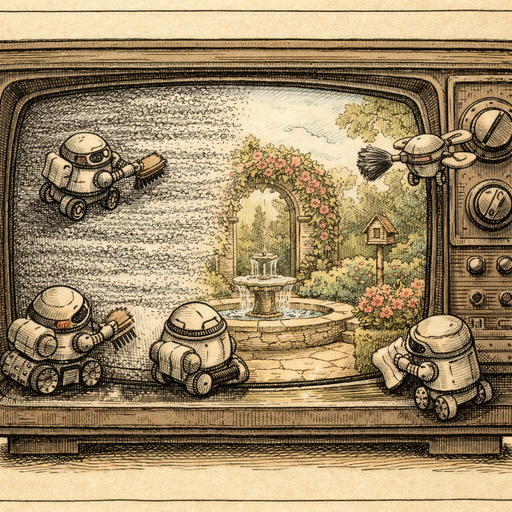
The result? You crank your ISO to compensate for the low light. You push your shutter speed high enough to freeze the fish mid-dart. And then you look at what you've captured and discover that your camera has generated roughly the same amount of visual noise as a 1987 television picking up a distant signal in a thunderstorm.
This is not a skill problem. This is physics being rude to you.
Why High ISO Noise Is Especially Brutal in Tanks
In normal photography, noise is annoying. In aquarium photography, noise is catastrophic. Here's why: the things you're trying to photograph are made of color and light. Scales that shift from teal to violet depending on the angle. Fins that are partially translucent. Eyes that catch light like tiny mirrors. When grain invades those subtle transitions, it doesn't just add texture - it destroys the exact visual information that made the subject interesting in the first place.
A noisy photo of a barn looks rugged. A noisy photo of a discus fish looks like someone sneezed on your sensor.
Traditional noise reduction software has historically made this worse, not better. The old approach was essentially to blur everything until the grain disappeared, which also blurred the fine detail on scales, the edge definition of fins, and the catchlight in the eye. You traded grain for mush. Different problem, equally depressing outcome.
What AI Denoising Actually Does Differently
Modern AI noise reduction works in a fundamentally different way than the old Gaussian blur approach. Instead of asking "which pixels look noisy and should I average them out?", it asks "given everything I know about what images look like, what should this pixel actually be?" The difference sounds subtle but produces dramatically different results.
For aquarium photos specifically, this matters enormously. The AI has learned the difference between:
- Random grain on a fish scale versus the actual micro-texture of that scale
- Noise in a patch of dark water versus genuine shadow detail
- A blurry fin edge caused by noise versus intentional motion blur from a swimming fish
- Color noise in that transitional zone between teal and purple versus the actual iridescence
That last point is the one that saves Gerald-type situations. The subtle color shifts that make iridescent fish so visually striking are exactly the kind of low-amplitude, high-frequency information that traditional noise reduction obliterates. AI-based approaches preserve it because they understand context, not just pixel math.
The AI Denoise tool processes entirely in your browser, which means your fish tank portraits - and any accidentally embarrassing reflections of you in the glass - never leave your device. This is either a privacy feature or a professional courtesy, depending on how the session went.
A Practical Workflow for Tank Photos That Don't Look Like Evidence
If you're shooting aquarium photos with any regularity, here's a workflow that actually produces results:
- Shoot raw if you can, JPEG if you must. More data to work with means better denoising results. The AI has more information to reason about.
- Prioritize shutter speed over ISO. Motion blur from a fish is far more destructive than grain. Accept the high ISO and fix the noise in post. You cannot fix a fin smear in post.
- Turn off the room lights. Reflections in the glass are the enemy. Any external light source creates a competing reflection that muddles the image and fools your camera's metering.
- Run the denoiser before doing anything else. Before you adjust exposure, before you tweak color, before you sharpen - denoise first. Applying other corrections to a noisy image amplifies the noise. Clean the image, then correct it.
- After denoising, consider a light sharpening pass. The Sharpen tool can recover edge crispness on fins and scale patterns after noise removal. Use a low intensity setting - you're refining, not compensating.
The Broader Problem: Any Dark Glass Situation
The aquarium problem is actually a specific instance of a general photographic nightmare: any situation where you're shooting through glass in low light. This includes:
- Zoo enclosures (the animals have not read the photography tips articles either)
- Museum display cases with antiques or specimens
- Car window shots at dusk
- Greenhouse photography where the plants are in a warm, dimly lit environment
- That one restaurant with the amazing dim lighting and the fish tank wall that you absolutely had to photograph
In all of these scenarios, you're fighting the same physics. High ISO, unavoidable noise, delicate subject matter that can't survive aggressive traditional noise reduction. The AI approach helps across all of them for the same reasons it helps with Gerald.
When Denoising Has Limits
It's worth being honest here: denoising is not magic, even the AI kind. If your photo is so noisy that the signal is completely buried, no amount of processing will resurrect it. There's a threshold past which the noise and the actual image data become indistinguishable, and at that point you're just asking the AI to invent a fish.
Similarly, if you have motion blur from the fish moving during a slow shutter speed - as opposed to noise from a high ISO - that's a different problem entirely. The AI Deblur tool addresses motion blur, while the denoise tool addresses grain. They solve different problems. Applying denoising to a motion-blurred photo will clean up the grain on the blur, which is nice, but it won't make a smeared tail sharp again.
The practical implication: shoot at a fast enough shutter to freeze motion, accept whatever ISO that requires, then fix the noise in post. That order of priorities gives you the most to work with.
Conclusion
Gerald deserved better. Every aquarium photographer's subject does. The combination of low light, moving subjects, glass interference, and strange color temperatures makes fish tanks one of the most technically demanding photographic subjects in any home, and the results are almost always noisier than you hoped. AI denoising changes the calculus significantly - not by ignoring the noise problem, but by solving it intelligently enough that the detail worth keeping actually survives the process. Run a noisy tank photo through the Denoise tool, and there's a reasonable chance Gerald will finally look like the magnificent creature he always was, rather than an impressionist suggestion of a fish rendered in static.
Try it yourself
Free, private, runs in your browser. No sign-up required.