
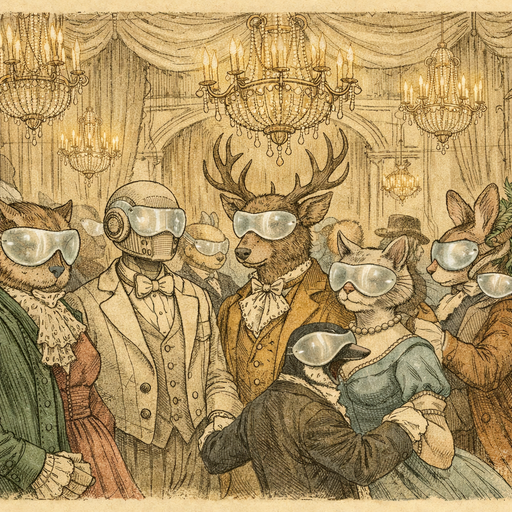
Imagine this: you’re in a group chat, excitedly sharing vacation photos from your recent trip. Everything is going smoothly until someone shouts, "Wait! Is that my ex in the background?" Cue the collective gasps and frantic attempts to identify every stranger’s face, while everyone scrambles for a virtual lifeboat to save their own dignity. If only there was a way to blur those faces without needing a degree in digital forensics.
Technology Meets Awkwardness
Welcome to the modern age where our digital lives often intertwine in the most chaotic ways! With video calls, group chats, and social media sharing, everyone is a photographer-and sometimes that leads to unintentional chaos. You capture a perfect sunset, but oh no, a burger-obsessed stranger photobombs your majestic shot, proudly sporting a ketchup stain on their shirt like a badge of honor.
Before you can say "privacy invasion," your new friend has been immortalized in pixelated glory across dozens of screens. And unless you want to have a heart-to-heart with a stranger about their newfound fame, you might need to take matters into your own hands.
How to Solve the Dilemma
And that’s where our trusty hero, the Blur Face tool, comes galloping in like a knight in shining armor (but with fewer metallic shines and more pixels). With a few clicks, you can automatically detect and blur out those faces that should remain in the shadows of anonymity!
- Easy to Use: Just upload your photo, and voilà! No tech degree necessary.
- Privacy First: Your images stay in your browser, meaning your potato-quality vacation photos won’t be sold to the highest bidder.
- Real-Time Results: Watch as faceless strangers become just a blur in the background, leaving your image looking sharp and unimpeachable.
As your ex-mid-30s vacation buddy hashtags their way through embarrassing experiences, you protect your friends from potential awkwardness, and your harmony remains intact.
Digital Anonymity in Everyday Life
It’s not just vacations, either. Picture this: you’re an unintentional street photographer, capturing bustling city vibes. Snap! You’ve just filmed the cutest old man struggling with his grocery bags-and also an overly enthusiastic tourist dressed like a pineapple. Their faces are now part of your momentous capture, contributing to your personal collage of unexpected memories.
But push that memory button ethically. Blurring their faces respects their rights expanding the “no-faces means no-further-embarrassing-character-arc” philosophy we all need in our lives. No one wants to be the main character in a stranger's story without their permission.
Practical Usage of Blurred Faces
Consider the applications of this tool for other vital areas:
- Street Photography: Practice ethical street photography by anonymizing strangers without losing artistic integrity.
- Family Gatherings: Taking a fun family shot? Blur out the awkward cousin trying to photobomb and save the family from future years of cringe at reunion gatherings.
- Work Events: Blurring faces at company parties preserves that valuable mix of fun and professional distance for anyone not in the mood for a future corporate Facebook wall of fame.
And the best part? You can edit on-the-go. No long waits for uploads ruining the excitement, just you, your face, no other faces (unless of course, you want to keep them).
Conclusion
In a world where privacy feels increasingly endangered, the Blur Face tool has become an unsung champion. Whether you’re saving your friends from digital embarrassment or practicing ethical photography, this tool helps elevate your photos while keeping risk at bay. So the next time you find yourself in a snapshot-related scandal, remember: blurring faces is the new black-and it might just save your social life. Embrace it!
Try it yourself
Free, private, runs in your browser. No sign-up required.