
 November 15, 2026
 6 min read
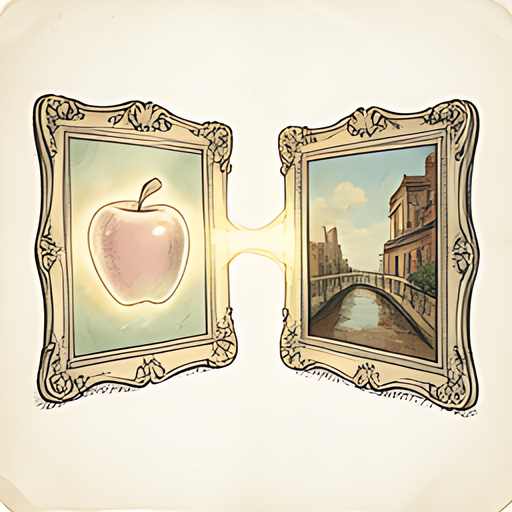
The school play was three days away. Mrs. Patricia Nguyen, drama teacher and self-described "theater enthusiast who absolutely does not cry at dress rehearsals," had spent six weeks wrestling 24 eighth-graders into something resembling a production of Grease. The costumes were done. The props were done. The cast had run lines so many times that at least two parents could now perform the entire show from memory. The only thing left was the playbill, the proud tradition of a folded piece of paper that audience members use to fan themselves for two hours.
Patricia emailed 47 cast photos to the print shop. The print shop emailed back a single sentence: "We cannot open these files." Then nothing. Radio silence. The drama equivalent of a curtain that never goes up.
What Patricia had done, entirely without meaning to, was email 47 HEIC files straight from her iPhone's camera roll. And what HEIC files do in the wrong hands is absolutely nothing, because half the world's software simply stares at them like a confused golden retriever.
The Quiet Format War Nobody Told You About
In 2017, Apple switched the default camera format on iPhones from JPEG to HEIC (High Efficiency Image Container). The reasoning was sound: HEIC files are roughly half the size of JPEGs at equivalent quality. For a phone that people use to photograph their brunch every single morning, storage efficiency matters.
What Apple forgot to announce, apparently via intercom at every print shop, design studio, and school computer lab in the world, was that HEIC compatibility was going to be patchy for years. Windows users couldn't open them without installing a codec. Older Macs could barely handle them. Print shops running Adobe software from two years ago? Total impasse.
The result is a situation that plays out thousands of times a day: someone takes a perfectly good photo on their iPhone, sends it somewhere, and the recipient reports back that the attachment is apparently a cursed artifact from an unsupported dimension.
Why HEIC Exists and Why It's Genuinely Good (Just Not Universal)
It's worth defending HEIC for a moment, because it gets unfair press. The format supports 10-bit color depth compared to JPEG's 8-bit, which means smoother gradients and better highlights. It handles transparency. It supports sequences, so Live Photos work inside a single file. The compression algorithm is genuinely clever.
HEIC is a great format for keeping photos on your iPhone. It is a medium-quality format for sharing those photos with anyone who isn't using very recent Apple software. It's the photographic equivalent of speaking a beautiful language that only some of your friends understand.
The practical workaround, of course, is converting to JPEG or PNG before you send anything anywhere important. JPEG for print shops, email clients, web uploads, and anywhere compatibility matters. PNG if you need transparency or lossless quality. The conversion takes about four seconds if you have the right tool.
The Fastest Fix That Doesn't Involve Downloading Anything
This is where Patricia's story has a happier second act. A colleague pointed her toward COMBb2's HEIC Converter, which runs entirely in her browser. No app to install. No account to create. No mysterious software that takes twenty minutes to load and then demands a subscription.
She uploaded her 47 HEIC files, selected JPEG output, and had a folder of universally compatible images in under two minutes. The print shop opened every single one without incident. The playbill went to print the same afternoon. Opening night happened on schedule. At least one parent cried, and it wasn't because of the file format.
The other detail worth mentioning: because the conversion happens entirely in the browser, the photos never travel to any server. For a drama teacher working with photos of minor students, that's not a small thing. The images stayed on her computer the entire time.
When This Problem Actually Bites You
HEIC confusion tends to surface at the worst possible moments, specifically when you have a deadline and no patience for a technical detour. A few situations where it comes up constantly:
- Print shops and local printers. Many still run older software stacks. HEIC support is inconsistent even in 2026. Convert first, ship second.
- Submitting to school systems or government forms. Portal upload systems often specify JPEG or PNG only, with no explanation for why your file keeps failing. It's usually this.
- Sending to Windows users. Even with the Microsoft HEIC codec installed, the experience is flaky enough that converting before you send is simply the polite thing to do.
- Social media platforms with size or format restrictions. Most platforms quietly convert HEIC on upload, but the conversion quality varies and sometimes the result is visibly worse than a clean JPEG you converted yourself.
- Older design software. InDesign, Photoshop, and Illustrator all have HEIC support thresholds tied to version numbers. If a client is running something from three years ago, your HEIC is a paperweight.
Quick Settings to Avoid This Entirely on iPhone
If you'd rather solve the problem at the source, iPhones have a setting buried inside Settings - Camera - Formats. Switching from "High Efficiency" to "Most Compatible" tells the camera to shoot JPEG from the start. You lose some storage efficiency and a bit of technical quality headroom, but you gain universal compatibility and a print shop that will actually like you.
The tradeoff is real, though. If you're someone who shoots a lot and wants to maximize storage, HEIC is worth keeping as the default. Just know that any time something important needs to be printed, submitted, or sent to someone who isn't on a recent Apple device, you'll want to convert it first. The HEIC Converter handles that job in seconds with no fuss.
And if you find yourself wanting to do more with those photos after converting, things like adjusting brightness on a photo taken in a dim auditorium or sharpening a cast headshot that came out slightly soft, COMBb2's Sharpen tool handles that in the same browser session. No separate software required, which Mrs. Nguyen found extremely useful given that she was doing all of this on a school library computer twenty minutes before the bell rang.
The Format Nobody Hates, But Nobody Fully Supports
HEIC occupies an odd place in the image format landscape: technically superior to JPEG in almost every measurable way, yet perpetually running into walls wherever older software, institutional systems, or non-Apple hardware exists. It's the format equivalent of a really talented musician who keeps getting booked at venues with broken sound systems.
The format will likely become universal eventually. Browser support has improved. Windows 11 handles it better. But "eventually" doesn't help when you need 47 playbill photos by Thursday.
For now, the smart workflow is simple: shoot in HEIC to maximize quality and storage on your phone, then convert to JPEG before anything leaves your device for a destination with unknown software. That conversion step costs you two minutes and saves you the kind of afternoon that ends with an apologetic email to a print shop and a school play in jeopardy.
Conclusion
HEIC is genuinely excellent at the one thing it was designed for: storing high-quality photos efficiently on your iPhone. It becomes a nuisance the moment it encounters a world that hasn't caught up to it yet, which is most of the world most of the time. The fix isn't complicated. Convert to JPEG or PNG before you send anything important, use a tool that keeps your photos on your own device, and don't be the reason opening night almost didn't happen. Patricia's cast took their bows to a full house with printed playbills in every seat. The HEIC files were never mentioned again, as it should be.

Try it yourself
Free, private, runs in your browser. No sign-up required.