
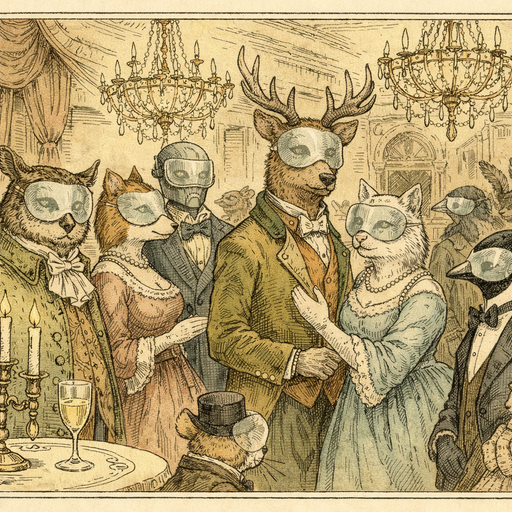
My friend Dario volunteers every year at a local city marathon. His job is simple: stand near the finish line, photograph as many runners as possible, and upload the images to the race's Facebook page so participants can find their triumphant, grimacing, deeply regretting-every-life-choice moment of glory. Beautiful in theory. A logistical and legal headache in practice.
Last spring, Dario uploaded a batch of 300 finish-line photos. Within 48 hours, two things happened. First, a runner found their finish photo and cried happy tears. Second, a very unhappy stranger in the background of seventeen different shots sent the race organizers a cease-and-desist notice. Turns out she had taken the morning off work - officially sick - and had been caught on camera very much not sick, cheering loudly in a novelty foam hat. Her employer followed the race's social media. Dario had, through no fault of his own, ruined someone's Tuesday.
The Problem With Crowd Photography in 2026
Event photographers face a genuinely uncomfortable legal gray zone. Photographing people in public is generally permitted, but publishing identifiable images of people who did not consent - especially in contexts that could embarrass or harm them - is increasingly a liability in countries with GDPR, CCPA, and similar privacy regulations. Race organizers, school event coordinators, protest documentarians, street photographers, and journalists all bump into this problem regularly.
The traditional solution was to just... not worry about it. That worked fine until the combination of facial recognition technology, reverse image search, and highly motivated HR departments made every background figure in every crowd photo a potential incident report. The calculus has shifted.
There is also the sheer volume problem. Dario had 300 photos. If each contained ten background bystanders, that is 3,000 faces to manually find, select, and blur in photo editing software. At that point you are not a volunteer photographer anymore - you are an unpaid full-time privacy compliance officer with a sore wrist and a grudge against foam hats.
Who Actually Needs Face Blurring (The List Is Longer Than You Think)
The obvious cases are journalists and documentary filmmakers protecting sources, street photographers respecting subjects, and protest organizers keeping participants safe. But the less obvious cases come up constantly:
- Race and sporting event photographers capturing thousands of spectators who never signed a release form
- School and community event organizers who need to share recap photos without inadvertently publishing children's faces publicly
- Real estate agents who photograph open houses and accidentally include neighbors visible through windows or in the street
- Social workers and healthcare photographers documenting facilities where patient anonymity is legally required
- HR teams publishing company event recaps where some employees have specifically opted out of social media appearances
- Travel bloggers who photograph crowded markets, festivals, and public squares in countries with stricter privacy laws than their home country
Every single one of these people currently faces the same choice: spend hours manually blurring in Photoshop, skip the privacy protection entirely and hope for the best, or just not share the photos at all. None of those options are great.
The "I'll Just Do It Manually" Trap
Manual face blurring in traditional photo editors follows a predictable arc. It starts with confidence ("I'll just blur these five faces, easy"), passes through mild frustration ("why is the blur brush this complicated"), and ends somewhere around hour three with you blurring a light fixture by accident and genuinely considering a career change.
The problem is not just speed - it is accuracy. Human eyes miss faces in crowds. You blur the three faces you noticed in the foreground and completely miss the four people visible in the reflection of a shop window in the background. Or you blur a face so aggressively it looks like a crime scene reconstruction, drawing more attention to that spot than the original face ever would have.
Automatic detection handles this differently because it is not working from where your eyes happen to land first. It scans the entire image systematically, including the awkward angles, the partial profiles half-hidden behind a sign, and yes, the reflections.
Where COMBb2's Blur Face Tool Fits In
The Blur Face tool uses automatic face detection to find every identifiable face in an image and applies a clean, natural-looking blur to each one. The detection runs entirely in your browser - the photos never leave your device, which matters a great deal when the photos contain sensitive subjects or when your own organization's data policies prohibit uploading images to third-party servers.
For someone like Dario, this changes the workflow from "I need to manually review every pixel of 300 photos" to "I can process a photo in seconds and move on." The blur is applied automatically to detected faces, which means the people clearly in the frame get anonymized without requiring you to play a highly stressful game of Where's Waldo with everyone's privacy on the line.
The result also looks intentional rather than slapped-on. A properly blurred face reads as a privacy decision. An aggressively pixelated smear that vaguely resembles a human head reads as an error - or worse, as an attempt to hide something specific about that person, which draws exactly the wrong kind of attention.
Combining Privacy Tools for a Proper Workflow
Face blurring is often one step in a broader privacy-conscious editing workflow. If you are processing event photos for public sharing, you might also want to run them through Strip Metadata to remove any GPS coordinates embedded in the image file - because if your camera geotagged the finish line location, you have now published a map to a place where thousands of people were standing at a specific time, which is the kind of detail that makes privacy officers nervous.
If the images are coming from a phone or a newer camera and quality needs a boost before sharing, Enhance can handle brightness and contrast correction before you move on to the blurring step. Running everything in the browser means each of these steps keeps the photos entirely on your machine - no upload, no server processing, no third-party storage of images that may contain people who specifically did not want to be documented.
The Foam Hat Situation, Resolved
Dario now runs his finish-line batches through the blur tool before uploading anything. The actual runners - who are, after all, the point of the photos - stay sharp and identifiable. The background spectators, the accidental bystanders, the woman in the foam hat calling in sick from her front-row cheering position - all automatically anonymized before the images go anywhere near a social media platform.
He told me it takes about thirty seconds per photo now instead of however long it used to take him to decide he was not going to bother. The race organizers are happier, the participants still get their finish-line moment, and the foam hat woman presumably remains gainfully employed. Everybody wins - which is more than you can say for most marathons, where roughly half the participants are actively questioning their life choices somewhere around kilometer thirty-one.
Conclusion
Crowd photography is one of those activities that looks completely harmless until it suddenly, decisively is not. The gap between "I photographed a public event" and "I published identifiable images of people who had very good reasons for not being publicly identified" is smaller than most people realize, and the consequences land on the photographer and the organizer, not the person who runs facial recognition on your Facebook post. Automatic face blurring does not solve every ethical question in event photography, but it eliminates the most common and most preventable source of accidental privacy violations - and it does it fast enough that there is no longer a reasonable excuse to skip the step. Your foam-hat-wearing bystanders will thank you. Silently and anonymously, as they prefer.
Try it yourself
Free, private, runs in your browser. No sign-up required.