
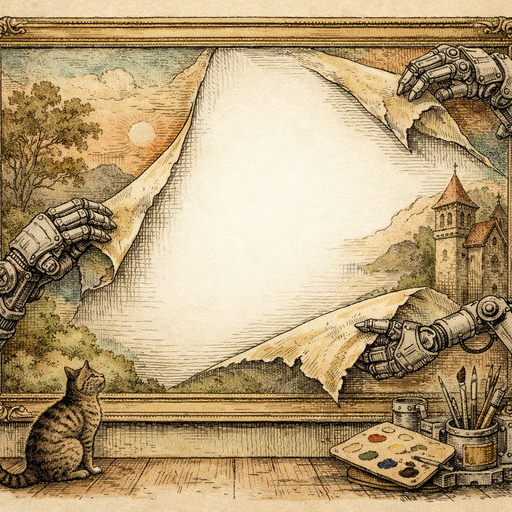
Claire had been making artisan soap for three years. Lavender oat, charcoal mint, honey almond - the kind of bars that make people stop mid-stride at a farmers market and lean in for a sniff. Her products were genuinely beautiful. Her product photos, however, looked like she'd staged them on the floor of a very chaotic garage sale.
The problem wasn't the soap. The problem was the background. Every photo she took at her market stall featured an uninvited cast of characters: a scuffed wooden pallet, someone else's kettle corn sign, a partially visible folding chair, and - in one memorable shot that made it onto her Etsy listing before she noticed - someone's shoe.
The Hidden Cost of a Messy Background
There's a reason major retailers spend thousands of dollars building clean studio setups with seamless white paper backdrops. Background noise is literally noise - it pulls the eye away from your product, introduces visual clutter that makes the brain work harder to parse what it's actually looking at, and signals to the viewer (even subconsciously) that the seller isn't quite professional.
Claire knew this. She'd read all the small business photography guides. She'd bought a foam board and propped it behind her products at home. But when you're running a farmers market booth solo, managing transactions, answering questions about whether the lavender soap is good for sensitive skin (it is), and restocking from boxes under the table, there's no time to set up a photography studio. You grab your phone, snap something, and move on.
What you end up with is a perfectly good photo of your product, surrounded by the visual equivalent of a crowded subway car.
The Two Paths Nobody Tells You About
When Claire finally sat down to fix her situation, she researched her options. There were basically two:
- Reshoot everything - Rent studio time, buy a proper lightbox, or commandeer a clean wall in her house. Cost: several hundred dollars and a full Saturday she didn't have.
- Remove the backgrounds after the fact - Either manually in Photoshop (which requires actual skill, considerable patience, and a subscription fee), or with a dedicated AI tool that does it automatically.
The Photoshop manual route deserves a moment of respect, because it's genuinely impressive when done well. It also deserves a moment of honesty: for products with complex edges - think the slightly irregular, handmade surface texture of an artisan soap bar - manual masking can take 20 to 30 minutes per image. Multiply that by 40 product listings and you've spent an entire work week on backgrounds alone.
The AI option has gotten remarkably good. Background Removal uses neural networks trained on millions of images to detect the boundary between subject and background at a pixel level. For product photos especially, where the subject is usually distinct from a cluttered background, results are often impressive on the first pass.
What Actually Happens When You Run a Soap Bar Through AI Background Removal
The short answer is: the wooden pallet disappears. The kettle corn sign disappears. The shoe absolutely disappears.
The longer answer involves a little context. AI background removal works best when there's clear contrast between the product and the background - which is most of the time with physical products. It handles complex edges better than most people expect, including slight transparency and fine surface detail. Where it occasionally struggles is with products that are partially transparent (clear glass bottles, for example) or when the product color closely matches the background color.
Artisan soap, with its opaque, varied surface and distinct edges, is essentially a best-case scenario. Claire ran her first test image through and the result looked like it had been shot on a professional seamless backdrop. The soap bar sat cleanly on a transparent background, ready to be placed on any surface she wanted - a linen fabric texture, a clean white, a pale marble slab she found as a stock photo.
The whole process took about 20 seconds. Nothing was uploaded to a server. Everything ran directly in her browser, which matters when you're dealing with product images that represent your livelihood and your brand identity - those files don't need to be sitting on someone else's computer.
The Background Is a Design Decision, Not a Photography Failure
Here's the mindset shift that changes everything: once you can remove any background in seconds, the background stops being a constraint and starts being a creative choice.
Claire now shoots her soaps wherever it's convenient - at the market, at home, outside with natural light - and cleans up the background afterward. Then she places the product on different surfaces depending on where the image is going. The Etsy listings get the clean white background (Etsy's algorithm apparently likes it, and buyers definitely do). Her Instagram posts get the soap on a textured linen cloth. Her holiday collection got a subtle dark green background that made the whole grid feel cohesive and seasonal.
This isn't a workaround - it's actually how many professional product photographers work. They shoot and then composite. The difference is that they used to need Photoshop expertise and hours of masking work to do it.
Beyond the White Background: Practical Applications
Background removal for product photography opens up possibilities that aren't immediately obvious:
- Consistent listings across multiple platforms - Amazon wants white, Pinterest wants lifestyle, your own site wants brand-consistent. One clean cutout serves all three.
- Batch reshooting isn't necessary when you change your branding - If you rebrand from a natural kraft aesthetic to a clean minimalist look, your product cutouts work in both contexts. You're not reshooting 40 SKUs.
- Creating collages and feature images - When you want to show a collection of products together, clean cutouts are essential. Trying to arrange five separate product shots with five different busy backgrounds into one coherent image is a visual disaster.
- Market and event graphics - Need a banner for your market booth? A social post for an upcoming show? Product cutouts drop cleanly onto any promotional graphic without the surrounding clutter.
You can also pair the clean cutout with AI Auto-Enhance to correct any lighting inconsistencies from shooting in mixed environments, or with Manual Adjustments to bring out the color accuracy of your product. A soap bar shot in late afternoon farmers market light will have a warm orange cast that makes the actual product color look inaccurate - a quick temperature correction fixes that before you finalize the background.
The One Thing That Still Requires Your Judgment
AI background removal is genuinely good, but it occasionally makes decisions you'd make differently. Fine edges, wisps of steam, translucent packaging - these can sometimes get partially clipped or handled imperfectly. The tools give you a result; you're still the one who decides if it's good enough.
For most product photography, the output is excellent on the first pass. For products with unusual edge characteristics, it's worth examining the result closely and potentially running a quick touch-up. Either way, you're starting from 90% complete instead of 0% - which changes the math considerably.
Conclusion
Claire's soap business didn't almost fail because of bad products. It nearly got derailed by a wooden pallet and a shoe. The products were always good. The presentation was fighting against her, and presentation is the only thing an online buyer can actually assess before purchase.
Removing a background used to require either expensive equipment or expensive software skills. It now requires about 20 seconds and a browser tab. That's not a small improvement - it's the kind of shift that genuinely changes what's possible for a one-person business running a farmers market booth and trying to compete with brands that have professional photography budgets.
The kettle corn sign never had to be in the photo in the first place. Now it doesn't have to stay there.
Try it yourself
Free, private, runs in your browser. No sign-up required.