
 July 23, 2026
 6 min read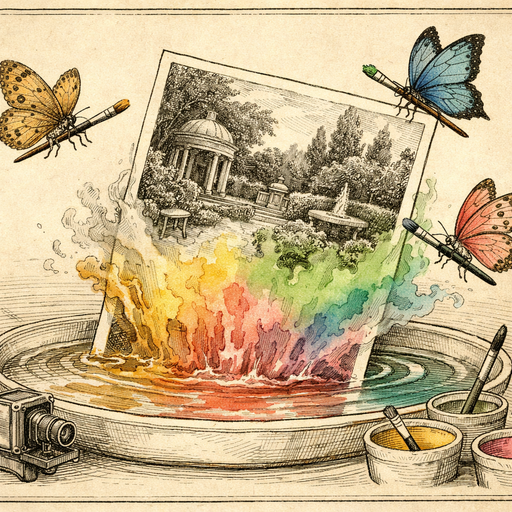
My uncle spent thirty years insisting that the man in the old photograph was "just a friend of Grandpa's from the factory." The photo lived in a battered shoebox under my aunt's bed, sandwiched between a ration book and a broken watch. It showed two men standing in front of what appeared to be either a large truck or a military vehicle - nobody could quite tell, because the image was so grey and washed out it looked like someone had sneezed on the negative before developing it. Then my cousin ran it through an AI colorization tool, and we discovered the vehicle was painted in a very specific shade of olive green that matched Soviet military transport trucks from the 1950s. Grandpa, it turned out, had a considerably more interesting career than "factory worker."
Why Black-and-White Photos Hide More Than You Think
There is a reason historians, archivists, and detective-minded grandchildren have become obsessed with colorizing old photographs. It is not purely aesthetic - though making a 1943 portrait suddenly look like a family snapshot from last Christmas is genuinely delightful. The real revelation is that color carries information that greyscale simply cannot transmit.
Consider what you lose when color disappears. Military uniform insignia blurs into a grey smear. The difference between a summer dress and a winter coat becomes ambiguous. A lush garden and a drought-stricken yard look practically identical. Brand logos, political badges, even the tell-tale color of a car that places a photograph at a specific decade - all of it flattens into the same monotone soup.
When AI colorization restores those tones, it is not just prettifying an old image. It is recovering a layer of data that was always there, waiting to be read.
How AI Colorization Actually Works (Without the PhD)
The short version: AI colorization models are trained on millions of images where the algorithm knows both the color and greyscale versions. It learns associations between texture, shading, context, and likely color. Skin tones, sky gradients, foliage, fabric textures - the model develops a kind of educated intuition about what things probably looked like.
The longer version involves convolutional neural networks, but we promised to skip the PhD requirement.
What this means practically is that the AI Colorizer can take a completely flat, grey portrait from 1932 and produce a result that is genuinely plausible - not because it remembers that specific moment, but because it understands what the world generally looks like. It handles skin, clothing, landscapes, and architecture with surprising confidence. The results are not always perfect (your great-grandmother's curtains might have been burgundy, not the crimson the AI suggests), but they are almost always more revealing than the original grey version.
And crucially, the whole process happens entirely in your browser. The photo never travels to a server, never gets processed in some distant data center, never ends up in a training dataset you didn't consent to. Family secrets - or potential evidence of Cold War espionage - stay exactly where they belong.
The Kinds of Photos That Benefit Most
Not every black-and-white image is an equally good candidate. Here is where the tool genuinely shines:
- Portraits with clear skin and fabric detail - the AI handles faces and clothing textures especially well, and the result of seeing a great-grandparent in realistic skin tones for the first time is quietly astonishing.
- Outdoor scenes with sky and vegetation - blue skies and green grass are contextually obvious to the model, and these photos tend to colorize with impressive naturalness.
- Military and uniform photos - branch colors, insignia backgrounds, and vehicle paint schemes often become identifiable once color is restored, which is why military historians have become enthusiastic early adopters.
- Architectural and street scenes - brick tones, painted storefronts, and signage can suddenly place a photograph in a specific era or region.
- School and formal portraits from the mid-20th century - the controlled lighting in these photos gives the AI excellent texture data to work with.
If the original photograph is very dark, very scratched, or heavily blurred, you will get better colorization results if you clean up the image first. Running the photo through the AI Denoiser to reduce grain before colorizing can make a noticeable difference - the colorization model reads texture more accurately when it is not competing with film grain and scan artifacts.
A Practical Workflow for Family Photos
If you are sitting on a box of old photographs - and statistically speaking, most families are - here is a sensible order of operations that will get you the best results without wasting an afternoon on trial and error.
- Scan at high resolution. If the original print is small, scan at 600 DPI minimum. The AI colorizer has more information to work with, and you can always resize down afterward.
- Denoise first. Old scans often pick up film grain, dust, and scanner noise. Removing that before colorization gives the model cleaner texture signals to interpret.
- Colorize. Upload to the AI Colorizer and let it run. The processing happens locally in your browser, which means you are not waiting on a server queue and the photo never leaves your device.
- Check the results critically. Look at known reference points first - sky color, grass, any object whose color you already know. If those look correct, the rest is probably reliable.
- Adjust if needed. Sometimes the overall tone needs a slight nudge. The colorized result can be run through the manual adjustment tools to fine-tune saturation or warmth without re-running the full colorization process.
Managing Expectations (And Family Debates)
Here is an honest word of warning: colorized photos will occasionally spark arguments. The moment a photograph gains color, it feels more definitive than it actually is. Your mother will insist the coat was blue, not green. Your uncle will claim the car color is wrong. The neighbor who appears in the 1956 garden party photo will suddenly become recognizable to someone, leading to a two-hour conversation that nobody budgeted for.
The AI is making an educated guess based on statistical probability, not channeling the spirit of the original photographer. Treat colorized results as a compelling interpretation rather than a documentary fact. They are, however, a remarkably useful interpretation - one that has prompted family history breakthroughs, assisted genealogical researchers, and occasionally revealed that Grandpa's "factory friend" was standing next to a very particular kind of military vehicle.
The shoebox under my aunt's bed now has a printed colorized copy of that photograph sitting on top. Nobody has admitted anything yet, but the conversations at family dinners have gotten considerably more interesting.
Conclusion
Black-and-white photographs are not just old - they are incomplete. Color is data, and when that data is missing, entire layers of context go with it. AI colorization does not fabricate history; it recovers a plausible version of what was always there, hidden in the greyscale. Whether you are tracking down a family mystery, building a genealogy archive, or simply wanting to see your great-grandparents looking like real people rather than ghosts from a history textbook, the AI Colorizer is a genuinely useful tool - and since everything runs in your browser, those family secrets stay safely offline. Whatever Grandpa was actually doing in 1957, the only people who need to know are sitting around your dinner table.

Try it yourself
Free, private, runs in your browser. No sign-up required.