
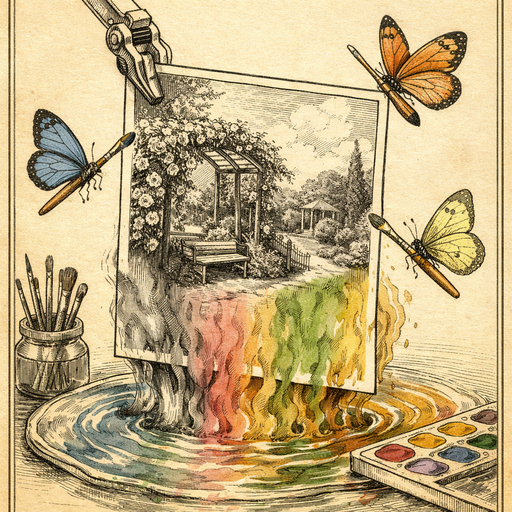
It started with a cardboard box. A local historical society volunteer in a mid-sized Ohio town was digitizing decades of community archive photos when she found it: a stunning 1963 image of a civil rights march down their main street. Hundreds of residents, signs raised, walking in perfect stride. The photo was crisp, well-composed, and utterly ignored at every city council meeting where it was presented. Printed in grainy black and white on a laser printer, it looked like a tax document. People glanced at it, nodded politely, and returned to arguing about parking meters.
Then someone colorized it. And the room went silent.
Why Black and White Flattens Emotional Impact
There is a psychological reason we mentally file black-and-white photos under "ancient history" even when they aren't. Researchers at the University of British Columbia found that colorized historical images generate significantly stronger emotional responses than their grayscale equivalents. The brain, it turns out, uses color as a shorthand for "this happened to real people, not figures in a textbook."
A monochrome photo of your grandmother at twenty looks like a portrait from a different era. Colorize it, and suddenly she looks like she could walk into the kitchen. That psychological shift is surprisingly powerful, and it works on civic photographs just as much as family ones.
This is not about distorting history. The shapes, the faces, the context remain identical. Color simply removes the mental distance that grayscale quietly inserts between viewer and subject.
Where Colorized Photos Are Actually Making a Difference
The Ohio story is not unique. Historical societies, school archivists, local newspapers, and genealogists are discovering that colorized images do something that endless grant proposals and strongly worded letters cannot: they make people care.
- Community history campaigns: A neighborhood revitalization group in Pittsburgh used colorized 1940s street photos to argue against demolishing a block of original rowhouses. The developer's lawyers were unmoved. The planning board, looking at vivid images of those same streets filled with people in color, voted to preserve them.
- School curriculum projects: Teachers report that students who receive colorized historical photos in their materials engage measurably more in discussion than those given the same images in black and white. One history teacher described it as "turning the volume up on a photo."
- Family reunions and heritage events: Organizers who display colorized ancestor photos at heritage dinners consistently say attendance and donations to preservation funds increase compared to years they showed the originals.
How to Actually Colorize a Historical Photo Without Destroying It
Here is where people get nervous. Colorization feels like a high-stakes operation, the kind of thing that requires expensive software, a history degree, and possibly a signed letter from a museum curator. In reality, the process is considerably less dramatic.
The AI Colorize tool handles the heavy lifting directly in your browser. Nothing is uploaded to a server, which matters a great deal when you're working with irreplaceable archival images that belong to a community rather than a corporation. The photo stays on your device the entire time.
The AI analyzes thousands of contextual clues in the image: skin tones, fabric textures, vegetation, sky gradients, architectural materials, and the relative darkness of objects. From these signals it infers plausible color values and applies them with a restraint that older colorization methods lacked. The results are not neon-tinted monstrosities. They are measured, believable, and often genuinely moving.
Best Practices Before You Colorize
- Start with the best scan you can get. A clean, high-resolution scan of the original gives the AI more information to work with. If your source image is small or low-resolution, run it through the AI Upscale tool first. Trying to colorize a tiny, pixelated image is like asking someone to describe a painting they can barely see.
- Reduce grain before colorizing. Archival photos often have significant grain or film noise. Running the image through the Denoise tool first helps the colorization AI read textures more accurately, producing cleaner, more natural results.
- Save the original separately. Always keep an unmodified copy of the source file. The colorized version is an interpretation, a valuable one, but the unaltered original is the historical record.
- Label colorized versions clearly. When sharing publicly or in presentations, note that the color was added digitally. This is not a disclaimer that weakens the image. It is simply accurate, and audiences who understand the process tend to find it even more impressive.
The Specifics Matter More Than You Think
One thing AI colorization handles surprisingly well is the texture of ordinary objects: the gloss of a leather shoe, the matte finish of a painted sign, the slight sheen of a cotton dress versus a wool coat. What it occasionally struggles with is very specific historical color information, like the exact shade of a military uniform or a particular brand's trademark color from a specific decade.
For most community and family photos, this level of precision is irrelevant. For museum-grade archival work, it is worth cross-referencing known color information from the period. A researcher working on a 1930s diner photo, for example, might verify that the soda fountain equipment matches known colors from a period catalog before finalizing the colorized version for publication.
For everyone else, including the volunteer who found that cardboard box in Ohio, the AI makes remarkably good guesses. Good enough to silence a room, as it turned out.
Getting the Colorized Image Actually Used
Producing a beautiful colorized image and then saving it in a format no one can open is a special kind of frustration. When exporting for print presentations, use PNG for maximum quality. For email or web sharing, a compressed JPEG works fine and keeps file sizes manageable for community newsletters and local newspaper websites that have strong opinions about attachment sizes.
If you're preparing multiple historical photos for a community exhibit or school project, work through each one in sequence: upscale, denoise, colorize, then export. The workflow becomes fast once you've done it twice.
Conclusion
Black-and-white photos are not diminished by being colorized. They are translated. The same march, the same faces, the same street, but suddenly legible to a brain that reads color as evidence of reality. That Ohio volunteer did not change history. She made it visible. If you have a shoebox, a scanner, and a few photographs that deserve more than a polite nod, the color is already in there waiting. You just need to help it out.
Try it yourself
Free, private, runs in your browser. No sign-up required.