
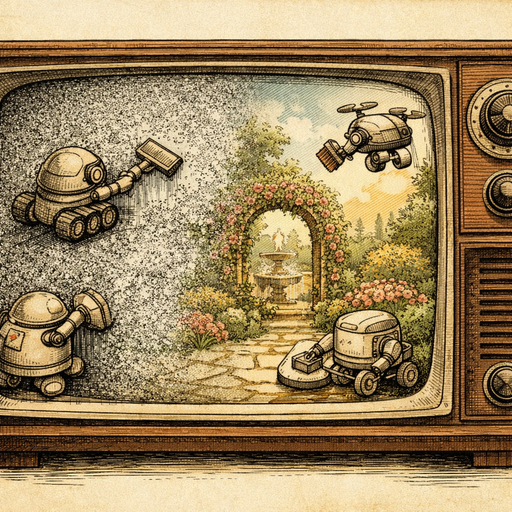
Last week, my neighbor Jim excitedly knocked on my door at 11 PM, clutching his phone like he'd just captured Bigfoot. "I finally got Jupiter!" he announced, shoving the screen in my face. What I saw looked less like the king of planets and more like someone had sprinkled digital confetti across a black void. His telescope photo was so grainy it could have been a close-up of sandpaper in a coal mine.
Jim had fallen victim to one of astronomy photography's cruelest jokes: the longer you expose your camera to capture faint celestial objects, the more noise creeps into your image. It's like trying to have a quiet conversation at a construction site - the longer you listen, the more background chaos you pick up along with the signal you actually want.
Why Telescope Photos Turn Into Digital Snow Globes
Astronomy photography is basically an exercise in controlled desperation. You're trying to capture objects so dim that your camera sensor has to work overtime, cranking up its sensitivity (ISO) to detect photons that traveled millions of years just to barely tickle your lens. Unfortunately, when you boost your camera's sensitivity, you also amplify all the random electrical noise happening inside the sensor.
Think of it like this: imagine you're trying to hear a whisper across a crowded restaurant. You cup your ear and lean in, but now you're not just hearing the whisper louder - you're also amplifying every clink of silverware, every chair scrape, and every conversation happening within earshot. That's exactly what happens when you push your camera's ISO to 3200 or higher to capture Saturn's rings.
The result? Photos that look like they were taken through a blizzard of digital static, where every dark area is peppered with colorful speckles that definitely weren't visible when you looked through the eyepiece.
Traditional Noise Reduction: The Nuclear Option
Most photo editing software approaches noise reduction like a sledgehammer approaches a walnut. Sure, it gets the job done, but you might not recognize what's left afterward. Traditional noise reduction algorithms work by essentially blurring away anything that looks like noise, but they're about as discriminating as a toddler with a marker - they can't tell the difference between unwanted grain and the delicate, faint details you spent three hours in freezing weather trying to capture.
I've watched fellow astronomy enthusiasts apply heavy noise reduction to their Mars photos, only to end up with something that looks like it was painted with a makeup sponge. The noise is gone, sure, but so are the subtle surface features, the fine details in nebulae, and basically anything that made the photo worth taking in the first place.
The AI Revolution in Your Browser
Modern AI-powered noise reduction changes this game entirely. Instead of mindlessly blurring everything that twitches, AI systems are trained to understand the difference between signal and noise. They can recognize that the tiny bright dot in your photo is probably a distant star, not a piece of digital debris that needs to be erased.
Tools like COMBb2's denoise feature use sophisticated algorithms that analyze patterns across your entire image. When the AI sees a consistent speckled pattern in the dark areas (that's your noise), it can remove it while preserving the actual astronomical details you worked so hard to capture. The processing happens entirely in your browser too, so your precious astrophotography session data never leaves your device.
Getting the Best Results from AI Denoising
The key to successful noise reduction in astronomy photos is understanding that you're not trying to create a perfectly clean image - you're trying to reveal what was already there underneath all that digital snow. Start with a light touch. AI denoising works best when you let it do multiple passes at lower intensities rather than trying to nuke all the noise in one aggressive sweep.
Pay special attention to how the algorithm handles the transition areas between dark space and bright objects. The best AI systems will preserve the subtle gradients around stars and planets while cleaning up the background noise. If you notice that your stars are starting to look like they've been airbrushed or that faint nebulae are disappearing, dial back the intensity.
Remember that some noise in astronomy photos is actually acceptable, even desirable. A little bit of fine grain can help preserve the sense of depth and detail that makes space photography so compelling. The goal isn't to create something that looks like a NASA publicity photo - it's to clean up your image enough that viewers can see what you saw through the telescope.
When Perfect Isn't the Goal
about astronomy photography that nobody tells beginners: imperfection often tells a better story than clinical cleanliness. Some of the most moving astrophotography I've seen retains just enough roughness to remind you that you're looking at an image captured by someone standing in their backyard, fighting dew on their lens and praying the clouds don't roll in.
The trick is finding the sweet spot where noise reduction enhances your image without sterilizing it. You want to reduce the distracting grain that pulls attention away from celestial objects, while keeping enough texture and character to maintain the authentic feel of the photograph.
Professional astrophotographers often spend hours fine-tuning their noise reduction settings, and they're working with much more sophisticated equipment than most of us have access to. The democratization of AI-powered tools means you can achieve similar results without spending thousands on specialized software or learning complex workflow techniques.
Conclusion
Jim's Jupiter photo didn't have to stay a grainy mess. With the right AI-powered noise reduction approach, those speckles of digital chaos could be cleaned up while preserving the subtle atmospheric bands and the four tiny dots of the Galilean moons he'd managed to capture. Sometimes the difference between a throwaway snapshot and a keeper is just knowing which tools can rescue the signal from the noise. Your midnight astronomy sessions deserve better than being buried under digital static - and now you know how to dig them out.
Try it yourself
Free, private, runs in your browser. No sign-up required.