
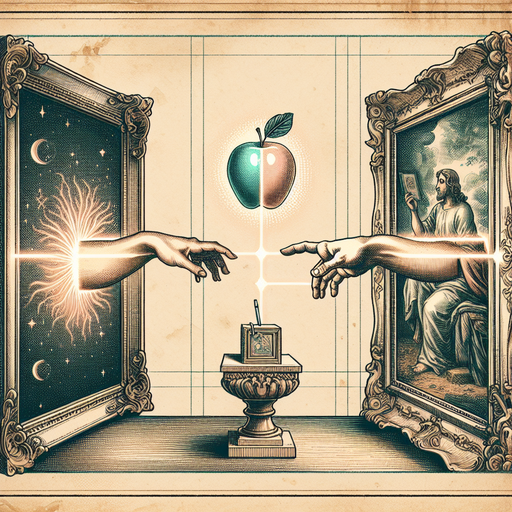
Professor Margaret Chen stood frozen at the podium, staring at a classroom of expectant faces while her laptop displayed an error message that would haunt any educator: "Unsupported file format." She had spent weeks photographing rare manuscripts at the Bodleian Library with her iPhone, capturing details that would make her Medieval Art History lecture unforgettable. Instead, she was about to deliver the most memorable lecture of her career for all the wrong reasons.
The culprit? Apple's HEIC format, which had quietly invaded her photo library like a digital Trojan horse. Her iPhone had been saving every image in this space-efficient format, but the ancient Windows computer in Lecture Hall B had about as much compatibility with HEIC files as a medieval monk would have with TikTok.
The Great Format Divide
HEIC (High Efficiency Image Container) is Apple's answer to the eternal storage problem. It produces smaller file sizes than JPEG while maintaining better quality, which sounds fantastic until you try to share those images with literally anyone who doesn't live exclusively in Apple's ecosystem. It's like Apple created a beautiful, efficient language that only they speak, leaving everyone else to gesture wildly and hope for understanding.
The format works brilliantly on Apple devices, but venture into the wild west of Windows computers, Android phones, or older software, and you might as well be trying to play a Blu-ray disc on a gramophone. This creates a particularly acute problem in educational settings, where professors often work across multiple devices and platforms.
Why Academic Institutions Are HEIC's Nightmare
Universities are technological time capsules. While Professor Chen carries a cutting-edge iPhone, she's presenting on computers that remember when Facebook required a college email address. These institutional machines run older versions of Windows, outdated presentation software, and graphics cards that wheeze at the mention of modern codecs.
The irony is thick: the very efficiency that makes HEIC attractive to educators (smaller files, better quality for detailed academic imagery) becomes useless when those files can't be displayed. It's like discovering the perfect teaching tool that only works in a soundproof room.
But the problem extends beyond ancient classroom computers. Research collaborations involve sharing images with colleagues worldwide, many of whom use different systems. Archaeological fieldwork requires documenting findings that need to be accessible across various devices and software platforms. Art historians need images that will open reliably in presentation software, regardless of the venue.
The Real-World Solution
The answer isn't convincing every institution to upgrade their technology (good luck with those budget committees), but rather ensuring your images speak a universal language. Converting HEIC files to JPEG or PNG creates compatibility that spans decades of hardware and software.
This is where having a reliable HEIC converter becomes essential. The key is finding one that processes files locally on your device rather than uploading precious academic materials to unknown servers. When you're dealing with rare manuscripts, archaeological finds, or proprietary research imagery, privacy isn't just preferable - it's often legally required.
The conversion process should be straightforward: drag your HEIC files, choose your output format (JPEG for photographs, PNG for images with text or graphics), and download the converted files. No registration, no cloud storage, no wondering where your images ended up or who might access them.
Beyond Emergency Lecture Fixes
Format conversion solves immediate crises, but it also prevents future disasters. Smart academics build conversion into their workflow: photograph with iPhone, convert to universal formats, then organize into presentation-ready folders. This approach means never again standing helplessly before a room full of students while technology fails you.
The strategy works equally well for students submitting visual assignments, researchers preparing conference presentations, or administrators creating documentation that needs to work across various institutional systems. It's particularly valuable for international collaborations, where you can't predict what combination of hardware and software your colleagues might be using.
Consider the archaeological team documenting a dig site with iPhones, then needing to share findings with universities across three continents. Or the art conservation department that photographs restoration progress but needs those images accessible in multiple database systems. Universal formats eliminate technological barriers that can impede academic progress.
Conclusion
Professor Chen's lecture hall disaster could have been avoided with a simple format conversion step in her workflow. While HEIC represents impressive technological advancement, academic environments demand compatibility above all else. The most brilliant visual aid becomes worthless if it won't display when you need it most. Converting HEIC files to universal formats isn't just about avoiding embarrassment - it's about ensuring your academic work reaches its intended audience without technological interference. After all, the only surprise you want in a lecture is students actually staying awake through the entire presentation.
Try it yourself
Free, private, runs in your browser. No sign-up required.